


Vivid Seats | Event Tickets
4.79.70K Reviews
App Specs
- Version
- 2026.134.2
- Updated On
- License
- Free
- Downloads
- 5,000,000+
- Developer
- Vivid Seats
- Categories
- Events
- Platform
- Android, iOS
Screenshots
 Analysis by AppCompare
Before I decide whether a ticket app is worth keeping on my phone, I separate the cost of using it from the cost of going out. Vivid Seats is free to download, so browsing starts without an app charge. Tickets are a separate purchase, and the final value depends on the event and seats you choose. I’d treat the free access as a convenient way to compare options, not as a promise that attending an event will be inexpensive.
Free to browse, with tickets as the real expense
That distinction matters if you are just exploring plans. You can look for a concert, a game, or a theater performance without first paying to install the app. When you are ready to buy, though, make your decision based on the complete price shown for the specific tickets, not only on the seat that first catches your eye. A low starting figure can be less useful than knowing what you will actually pay before committing.
I also wouldn’t assume every event offers the same range of choices or the same value. A popular date, a particular section, or a last-minute plan can change what is available. The practical move is to compare a few seat options and decide what matters most: being close, sitting with your group, or keeping the overall spend within a limit. That makes the app useful even when you ultimately choose not to buy.
Where the app earns its place
For me, the strongest case for a dedicated ticket app is having several kinds of live events together in one place. Vivid Seats is an events app from Vivid Seats for finding and buying tickets, and it also supports selling tickets. Its average rating is 4.7 from around 30,000 ratings, with about 9,500 written reviews, and it has more than 5 million installs. Those figures suggest an established audience, but they don’t tell me whether a particular listing suits my plans; I still compare the event, seat, and purchase details for myself.
The convenience is especially useful when an idea takes shape casually. If a friend mentions a match or a show, I can search rather than switch between separate services for music, sports, and theater. That does not mean it will always beat an event organizer’s own ticket channel. For a specific event, I would check the official source too, then weigh the available seats and the full checkout amount rather than choosing based on familiarity alone.
Trade-offs to keep in mind
A broad selection can make browsing feel productive, but it can also tempt me to treat a ticket as a bargain before I have checked the whole purchase. I’d set a personal ceiling before searching, compare a small number of options, and pause at checkout to review the total and the ticket details. If a seat map is available, I’d use it to judge location, while remembering that a map helps with orientation rather than guaranteeing what the view will feel like in person.
Selling tickets is useful when plans change, but I would not count on a quick sale or a particular return. Availability and buyer interest can vary, so I’d read the current selling steps and terms before listing anything. If the event is close, timing matters: I would confirm the ticket’s delivery and transfer instructions early, instead of waiting until I am on the way to the venue. Those checks are sensible for any resale marketplace, not a reason to assume a problem will happen.
Worth Reading Before You Choose

Baby Panda World Brings Quick Play to Modern Phones, but Its Game Library Feels Busy

ESPN’s Live Game View Makes Following Close Games Easier

QuizzLand Review: A Good Fit for Short Trivia Breaks, Not Every Player

Basketball Stars: Multiplayer Is Fast, but Can It Recover When Matches Go Wrong?

WEBTOON Turns Phone Updates Into a Better Reading Routine

Link to Windows Runs on Shared Habits, Not Social Feeds
Seamless Ticket Hunting
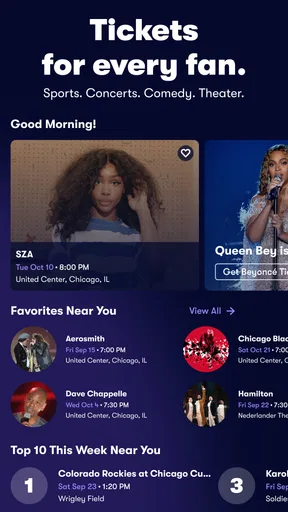
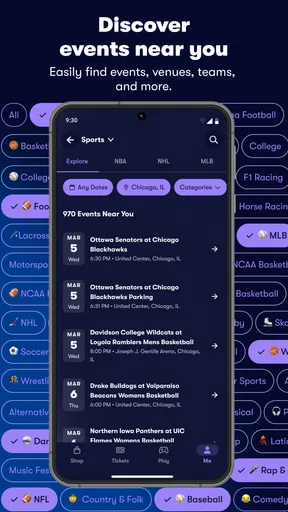
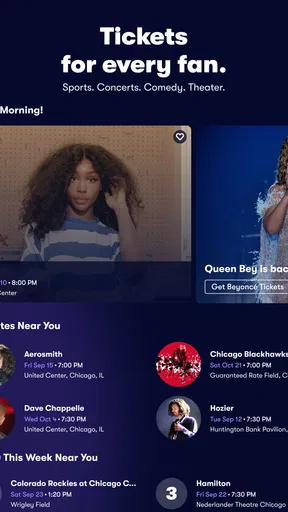
First things first, downloading and setting up Vivid Seats was a breeze. Once inside, the app greets you with a sleek interface that’s intuitive and easy on the eyes. Whether you’re on the hunt for concert, sports, or theater tickets, it’s all neatly organized. You can easily browse by category or use the search bar to find something specific. I love how you can filter results by date, location, and even price, making it easy to snag a deal or splurge on front-row seats.
Features That Stand Out
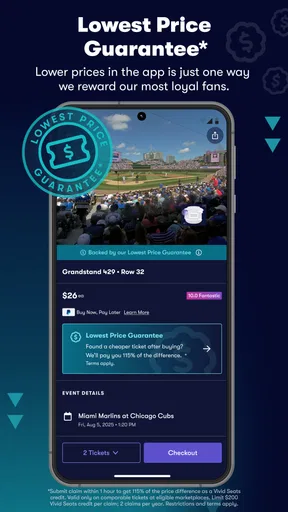
One of the standout features is the interactive seat map. This nifty tool lets you view the venue layout and select your preferred seating. It’s a game-changer for those of us who want a sneak peek at the view before making a purchase. I also appreciated the app’s ability to keep me updated with notifications about upcoming events and exclusive promotions. It’s like having a ticket guru whispering insider tips just for you.
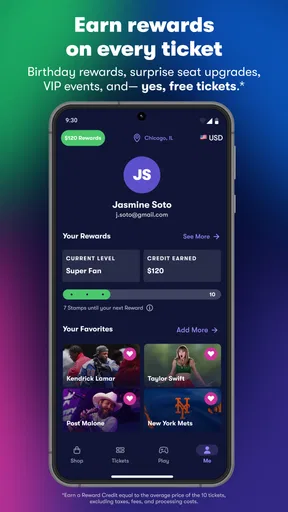
Another cool aspect is the loyalty program. The more you use the app, the more rewards you earn, which can be sweetened into discounts for future ticket buys. It’s a nice little bonus for loyal users who, like me, are always on the lookout for their next live experience.
Payment and Support
Now, let’s talk about the nitty-gritty: payment. Vivid Seats offers a variety of secure payment options, which is always reassuring when you’re making a big purchase. Plus, their customer support is top-notch. I had a minor hiccup with a transaction, and the support team was quick to respond and resolve my issue. It’s comforting to know that you’re not alone if something goes awry.
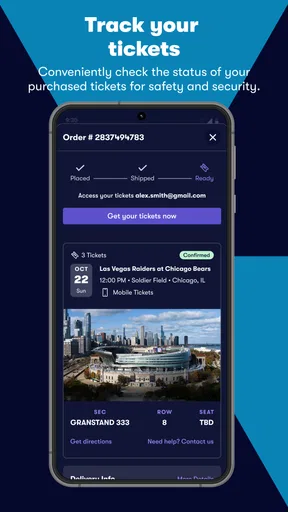
In terms of event day, the app provides digital tickets, which are a lifesaver for someone like me who’s prone to losing paper tickets. Just make sure your phone is charged, and you’re all set!
Choosing it for the right kind of outing
I see the best fit as someone who likes to make plans across different kinds of events, rather than someone who only ever buys from one venue or team. The app is free, aimed at everyone, and its current version is 2025.119.0; it runs on Android 8.0 or later. That makes it accessible to many users with older devices, though I’d still keep the app and phone software in good working order before a night out.
For a realistic example, imagine a friend texts on a Tuesday asking whether you want to go to a weekend game. I’d search the teams and date, use the location and price filters to narrow the options, then compare seats that keep the group together. Before paying, I’d check the event details and delivery instructions, and make sure everyone agrees on the budget. This is a better use of the app than impulse-buying the first appealing seat and sorting out the details later.
Small habits that make ticket shopping easier
One useful approach is to search with a specific date range and area rather than browsing a broad category indefinitely. It keeps the results tied to plans you could realistically attend. I’d also decide whether the event itself or the exact seat is the priority: if being there matters most, compare several sections; if the view is central to the experience, take time with the map and seat details before checking out.
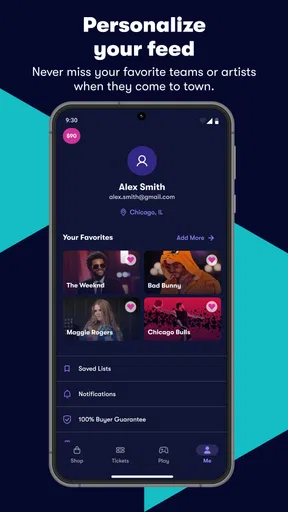
Notifications can help surface events or promotions, but I’d use them selectively. A reminder is helpful when I’m tracking a performer or team; a steady stream of alerts can make spontaneous spending feel more urgent than it is. I prefer to treat an alert as a prompt to compare options, not as a reason to buy immediately. Likewise, any rewards are a possible extra for repeat use, not a reason to spend more than I planned.
When another route may suit you better
If you already know the exact event, the venue’s own ticket channel is worth checking alongside a marketplace. It can be the simpler route when you want to buy directly from the organizer, while a multi-event app is more convenient when you are comparing different outings or considering resale listings. The best choice depends on the event and the available seats, so I would not assume one source is always cheaper or better.
I’d also skip this app if you do not want to buy tickets through a marketplace, rarely attend live events, or prefer to make every purchase through a team, venue, or promoter’s own service. And if a plan depends on a precise seat, a strict budget, or coordinated seats for a large group, I would slow down and verify each detail rather than relying on a quick search. The app can make discovery easier, but it cannot decide what trade-off is right for your outing.
Final Thoughts
So, is Vivid Seats worth it? Absolutely. Whether you’re a die-hard sports fan, a music enthusiast, or a theater aficionado, this app simplifies the ticket-buying process and adds a layer of excitement with its user-friendly features. It’s like having a VIP pass to the world of live entertainment. So go ahead, download the app, and get ready to make some unforgettable memories!
My more practical verdict is that it is worth trying if you want one place to explore concerts, sports, and theater, and you are willing to compare the final ticket details before buying. Free installation lowers the barrier to browsing, while the ticket purchase remains the meaningful expense. I’d keep it as a useful option, not my automatic choice for every event: check the organizer’s channel when you have a specific show in mind, set a spending limit, and buy only when the seat and terms fit your plans.
Pros
- User-friendly interface simplifies ticket browsing.
- Wide range of events across genres available.
- Secure payment options ensure safe transactions.
- Mobile app allows easy ticket management.
- Real-time notifications for event updates.
Cons
- High service fees can increase ticket costs.
- Occasional delays in customer support response.
- Limited refund options for event cancellations.
- App requires constant updates for best performance.
- Seat selection can sometimes be confusing.
FAQs for Vivid Seats | Event Tickets
What is Vivid Seats and how does it work?
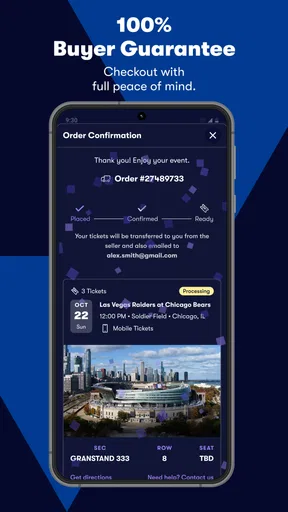
Vivid Seats is a ticket marketplace where users can buy and sell tickets for live events, including concerts, sports, and theater. Once you find an event, you can browse available tickets, compare prices, and make a purchase. The app provides a secure transaction environment and offers a 100% Buyer Guarantee for peace of mind.
Is Vivid Seats a reliable platform for purchasing tickets?
Yes, Vivid Seats is considered a reliable platform. It offers a 100% Buyer Guarantee, ensuring that tickets are valid and delivered on time. Additionally, the app has customer support available to assist with any issues. However, as with any ticket resale platform, it’s crucial to review seller ratings and buyer feedback for the best experience.
Are there any additional fees when purchasing tickets on Vivid Seats?
Yes, when purchasing tickets on Vivid Seats, you may encounter additional fees. These can include service fees, delivery charges, and taxes, which are added during the checkout process. It’s important to review the total cost before finalizing your purchase to ensure there are no surprises.
How does Vivid Seats handle ticket delivery and what options are available?
Vivid Seats offers several ticket delivery options, including mobile tickets, electronic tickets, and physical shipping. The delivery method depends on the event and ticket type. Mobile and electronic tickets are typically available immediately after purchase, while physical tickets may take longer to arrive. Always check delivery details during checkout.
What should I do if I encounter issues with my Vivid Seats tickets?
If you encounter issues with your Vivid Seats tickets, such as delivery problems or invalid tickets, contact their customer support immediately. Their support team is available to assist with resolving any issues. Additionally, the 100% Buyer Guarantee provides protection, ensuring you either receive valid tickets or a refund.


